Diese Seite ist derzeit nur auf Englisch verfügbar.
How to Play
New here? This page covers everything in one place. There are five tabs at the bottom of the screen: Home, Closet, Shop, Items, More.
Getting started Three stats Feeding Cleaning up poop Can pets die? Playing Daily rewards Earning candy Buying in the shop Dress-up Recycle bin Decorating your room DIY & player market Friends Sending your pet to a friend's home Inviting friends to visit Mailbox & gifts Pets & renaming Photos Widgets
Getting started
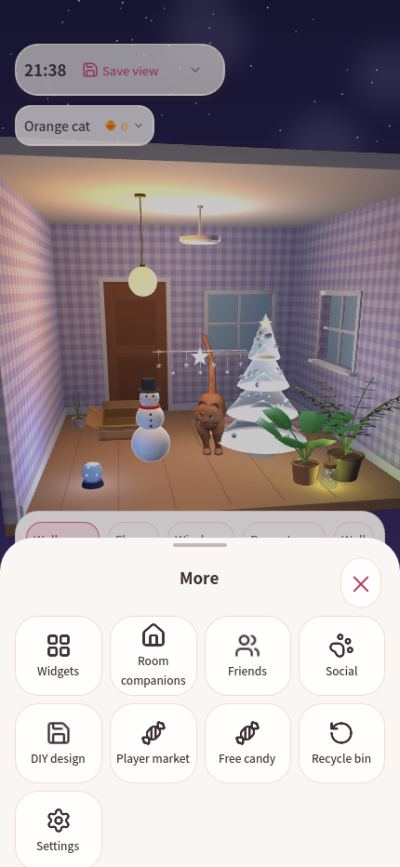
- The first time you open the app, an account is created automatically. You get 80 candy, a free orange cat, basic room furnishings, and a ball.
- Go to "More → Settings → Account" and link your Apple or Google account, so you can recover your pets, items, and candy when you switch phones or reinstall.
- Set the name your friends see under "Settings → Nickname" (2–16 characters; after saving, it can't be changed for 7 days). You need a nickname before sending gifts or making friends.
Your pet's three stats
- Fullness: drops by 3 every hour; feeding food raises it.
- Mood: drops by 2 every hour; snacks, petting and playing, new outfits, and new furniture raise it.
- Health: rises by 2 every hour while both Fullness and Mood are above 0; if either hits 0, Health starts to fall.
- Poop in the room slowly lowers Health. If poop sits for more than 3 hours, all pets lose extra Mood.
Feeding
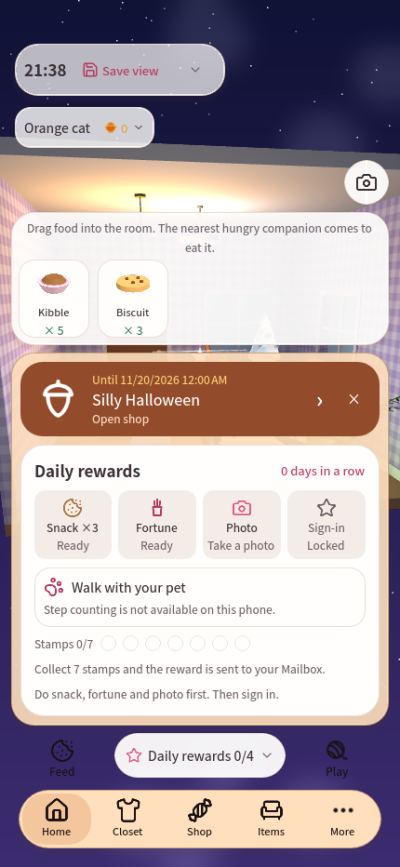
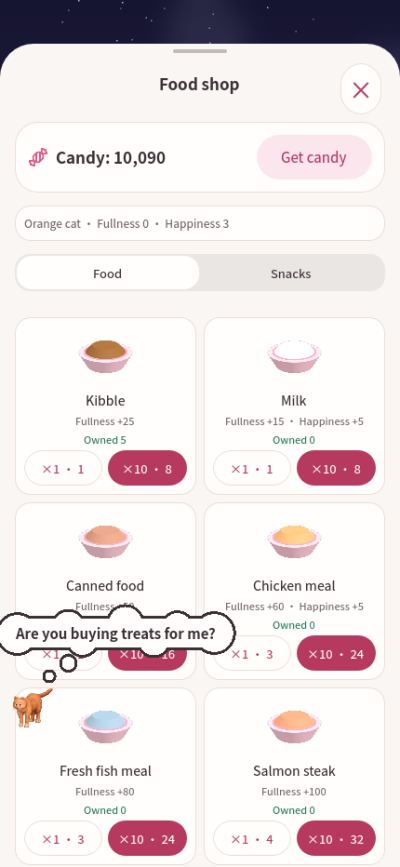
- On Home, tap "Feed" to open the food tray. It has two tabs: "Food" and "Snacks".
- Drag the food onto the room floor and let go. Any pet that wants it will walk over and eat.
- Stock is only used up once the food is eaten. If nobody eats it within 25 seconds, it's returned automatically.
- Food adds Fullness: Kibble +25, Milk +15 (Mood +5), Canned food +50, Chicken meal +60 (Mood +5), Fresh fish meal +80, Salmon steak +100, Deluxe feast +100 (Mood +15).
- Snacks add Mood: Biscuit +15, Dried fish +20, Jerky +35, Pudding +50, Ice cream +65, Cake +80, Birthday cake +100.
- Pets won't eat a meal at Fullness 95 or above, and won't eat snacks when Mood is full.
- Where food comes from: starter gifts, the "Snack" from Daily rewards, and the "Food & snacks" section of the Shop (1–6 candy each; buy 10 at once for 20% off).
Cleaning up poop
- Each pet at home poops about once every 24 hours, with up to 5 piles in the room.
- Tap a pile to clean it up (free). With 2 or more piles, a "Clean all" button appears.
Can pets die?
- Yes. When Health drops to 0, the pet leaves.
- With no care at all, that takes about 7 days. If you only feed it and never play, about 16 days.
- You get a notification when Health drops to 50, again at 30, and again at 10 (between 22:00 and 08:00, it's delayed until morning).
- After a pet leaves, its clothes, furniture, and food are kept. Within 7 days, tap "Bring home" to bring it back for 20% of its original price (the free orange cat costs no candy), and your days together are kept. After 7 days, tap "Adopt again" to adopt it at the original price, and days together start over from day 1.
Playing with your pet
- Tap the head: pet its head. Keep petting and it will purr.
- Tap the body: poke it, and your pet will be startled.
- Long-press: play with it using a cat teaser.
- Shake your phone quickly three times: your pet gets startled (can be turned off in Settings).
- All of the above count as play: Mood +5, up to +30 per pet per day.
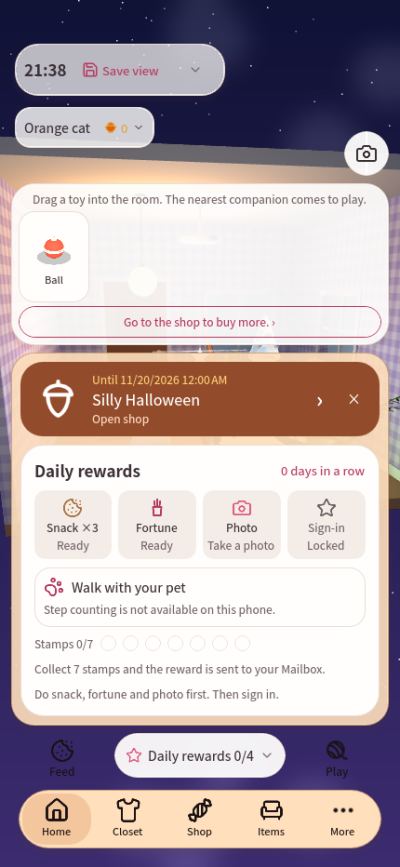
- Toys: on Home, tap "Play" to open the toy tray, then drag a toy into the room and throw it. Your pet will chase it. Tap the toy slot again to put it away. The ball in the first slot is free; other toys are sold in the Shop under "Toys" and are yours to keep forever. Pets that are too hungry, have very low Health, or just played won't want to play.
- Between 22:00 and 05:00, pets look for a cardboard box, rug, or the floor to sleep on.
Daily rewards & stamps
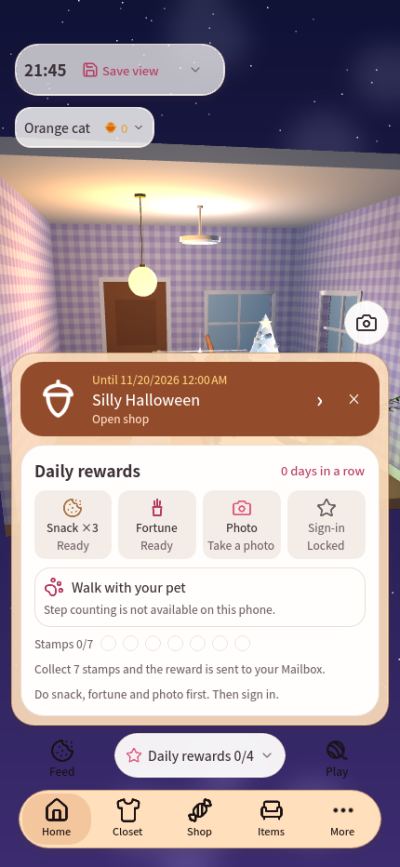
"Daily rewards" on Home has 4 tasks every day (resets at 00:00 Taiwan time):
- Snack: claim free food.
- Fortune: open the fortune tube and draw a fortune.
- Take a photo: open the camera and press the shutter.
- Check-in: unlocked after you finish the first three.
Finish all 4 to earn 1 stamp and 2 candy right away. Collect 7 stamps and 20 candy is sent to your mailbox; tap "Claim" to receive it. You also get a 5 candy login bonus the first time you open the app each day.
How to earn candy
- Welcome gift: 80 candy.
- Daily login: 5 candy every day.
- Finish the 4 daily rewards: 2 candy per day.
- Collect 7 stamps: 20 candy.
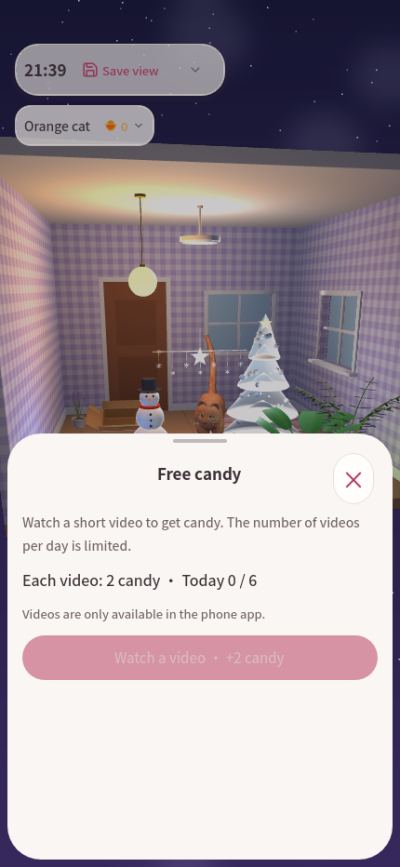
- Watch ads: "More → Free candy". Each full video earns 5 candy, up to 3 videos a day (you need to be signed in and watch the whole video).
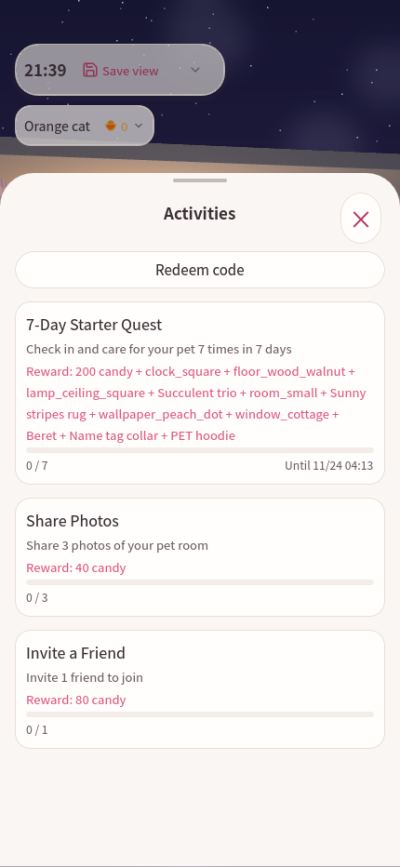
- Do quests: "Activities" on Home, such as the 7-day starter quests (200 candy and several items), inviting friends (80), and sharing a photo (40). Claim rewards from the quest list when done.
- Walking: walk 5,000 steps in a day and the reward is sent to your mailbox. Claim it within 24 hours.
- Gift code: enter it under "Settings → Gift code". The reward is sent to your mailbox.
- Recycle bin: trade in things you don't need for half their price in candy.
- Sell DIY clothes: you earn 15% on every one sold.
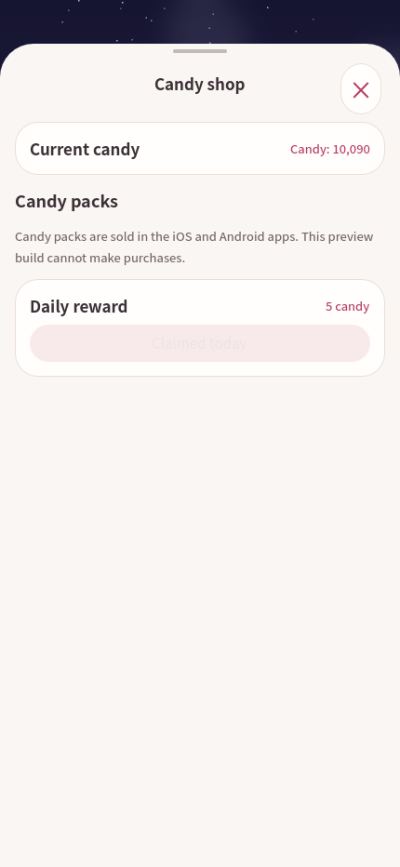
- Buy a candy pack: tap the candy count on Home to open the candy shop (100 / 220 / 700 candy).
Buying in the shop
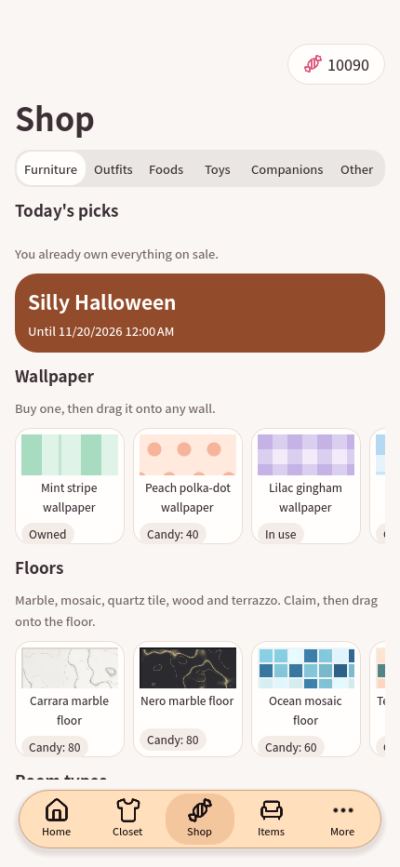
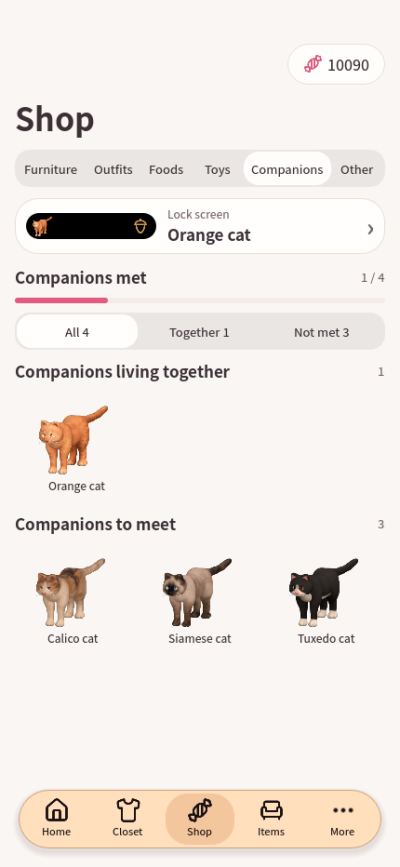
- Tap "Shop" at the bottom. Categories are Furniture, Outfits, Food & snacks, Toys, Pets, and Other (rename cards).
- Tap an item for details, then "Buy · N candy". The confirmation screen shows the final price. Tap "Confirm".
- If you don't have enough candy, nothing is charged. The screen shows how much more you need, with a "Get candy" button.
- You can't buy something you already own. Sale items show a red event tag.
- Gifts: on an outfit or furniture page, tap "Gift" and pick a friend. You pay. Your friend chooses to accept or decline in their mailbox (declining is not refunded; the gift returns to your mailbox and you can send it to someone else).
Dress-up (Closet)
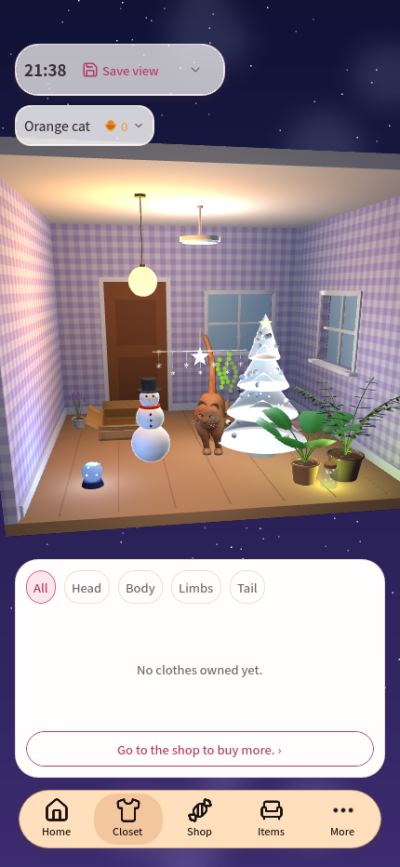
- Tap "Closet" at the bottom. Tap an outfit you own to put it on; tap again to take it off.
- Slots are hat, face, neck, clothes, back, held item, and tail, one item per slot. If a new item uses the same slot, the old one comes off automatically.
- Wearing a new outfit for the first time gives Mood +25. Changing into an outfit you already have gives Mood +8 (up to 3 times a day).
Recycle bin
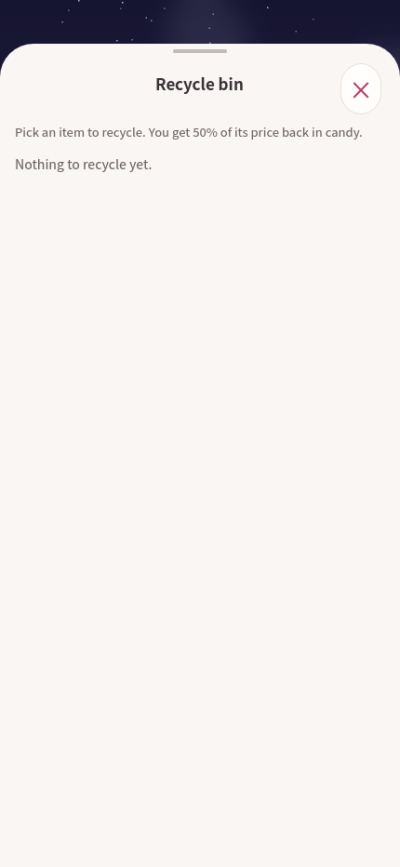
- "More → Recycle bin": sell things you don't need back to the game for half the original price in candy.
- You can recycle outfits, furniture, toys, and DIY clothes bought from the market. You can't recycle food and snacks, room types, or items that were free or quest rewards.
- Pets can be recycled too ("Recycle" on the pet ID card) for half the price, but you must keep at least one.
- Recycling can't be undone. If you change your mind, you can buy the item again in the Shop.
Decorating your room
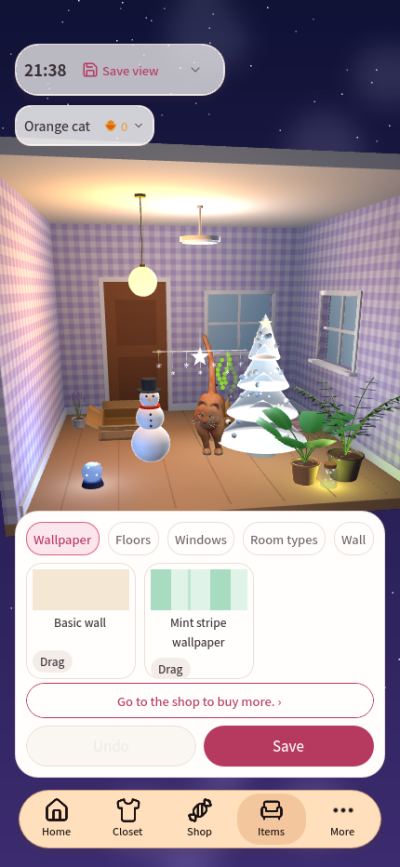
- Tap "Items" at the bottom to enter edit mode, then pick a category: wallpaper, floor, windows, room types, wall, floor items, ceiling.
- Drag an item into the room (or tap an item, then tap a spot).
- Drag to move it; tap an item already placed to rotate or take it down.
- Tap "Save" or your changes won't be kept.
- Rooms have a capacity limit. When it's full, put something away first.
- Drag with one finger to turn the view, move with two fingers, and pinch to zoom. "Save view" at the top remembers the current angle.
- Room size decides how many pets can live there and how many visitors you can host: Basic 1/0, Small 1/1, Medium 2/2, Large 3/3.
DIY design & player market
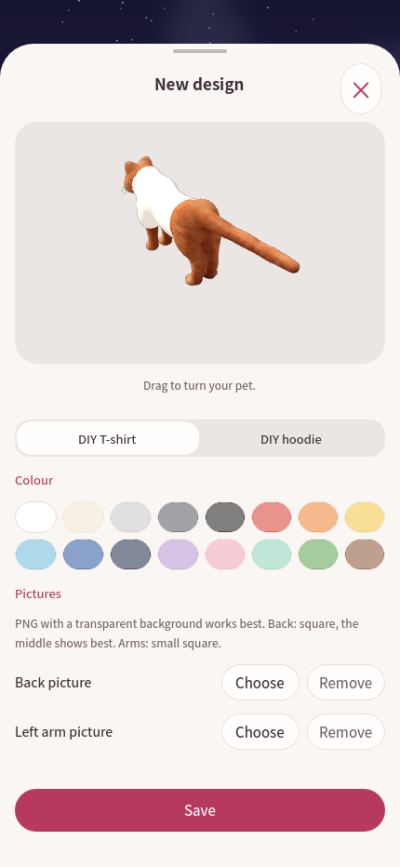
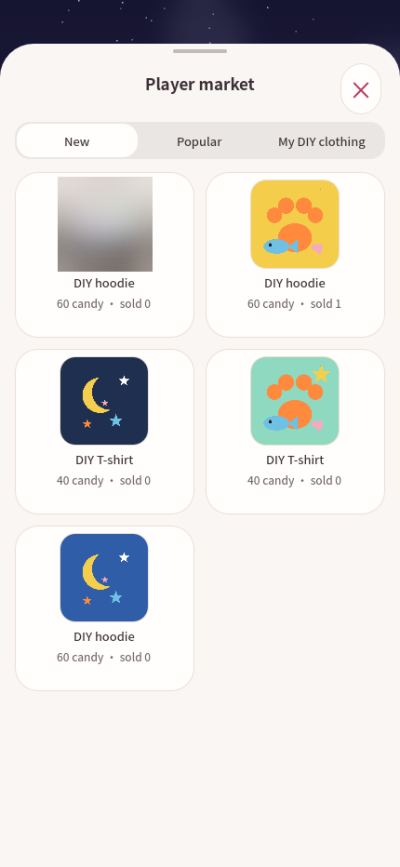
Design your own clothes
- "More → DIY design → New design".
- Pick a T-shirt or hoodie, then a color (16 colors).
- You can place one image each on the back, left sleeve, and right sleeve: tap "Choose" to pick and crop an image (PNG, JPEG, or WebP; a PNG with a transparent background looks best; the back is square and the center stands out most).
- Preview it live on your own cat and drag to rotate. When you're done, tap "Save".
Designing, saving, and listing are all free (no candy needed). You can save up to 30 designs.
List it for other players
- On the design page, tap "List on the player market". Prices are fixed: T-shirt 40 candy, hoodie 60 candy.
- For every one sold you receive 15% (T-shirt 6, hoodie 9 candy), paid straight to your account.
- You can have up to 10 listed at once. To edit a listed design, "Take off the market" first.
- Please don't use infringing, sexual, violent, or hateful images. A design reported by many players is paused for review. If the platform removes it, buyers are refunded and your share is taken back.
Buy other players' designs
- "More → Player market" has the tabs "New", "Popular", and "My DIY clothing". Tap a design to preview it, then "Buy", and you can put it on right away.
- Only cats can wear DIY clothes for now. Friends can see them when they visit.
Friends
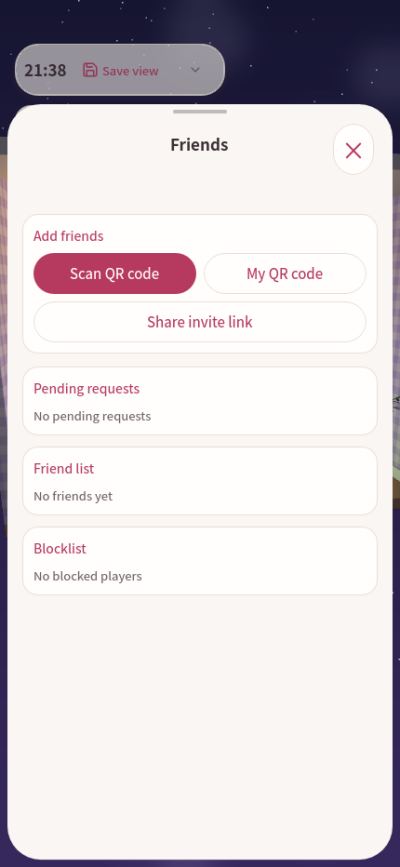
There are three ways to add friends under "More → Friends → Add friends":
- Scan QR code: scan your friend's QR code.
- My QR code: let your friend scan it, or copy your friend code.
- Share invite link: the link is valid for 48 hours. When your friend opens it and accepts, you become friends right away.
You can accept or decline friend requests you receive in your mailbox or under "Pending requests". From your friends list, you can send your pet to visit, call it home, delete, block, or report a friend.
Sending your pet to a friend's home
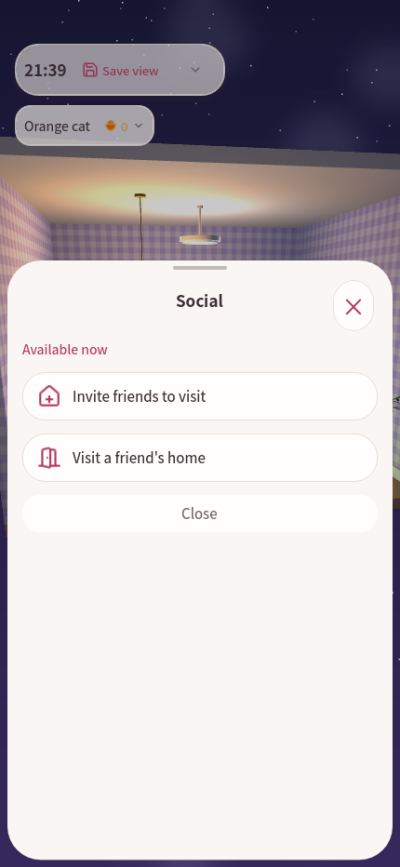
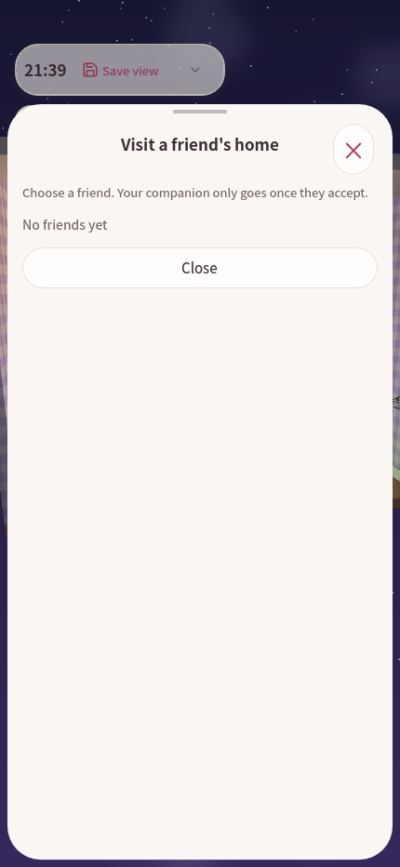
- "More → Social → Visit a friend's home" (or tap "Send my companion to visit" in your friends list).
- Pick a friend and send the request. Your pet only goes out after your friend accepts (requests are valid for 24 hours).
- Your pet stays at your friend's home for 6 hours, then returns on its own. You can "Call home" any time, and your friend can "Send home".
- Your friend's room must be big enough (a Basic room can't host), and they must not have turned visits off.
- Each pet can go out up to 3 times a day. After a request is declined, you must wait 1 hour before inviting the same friend again.
- While your pet is out, your friend takes care of it, and you can't feed it, play with it, or change its clothes at home.
Inviting friends' pets to your home
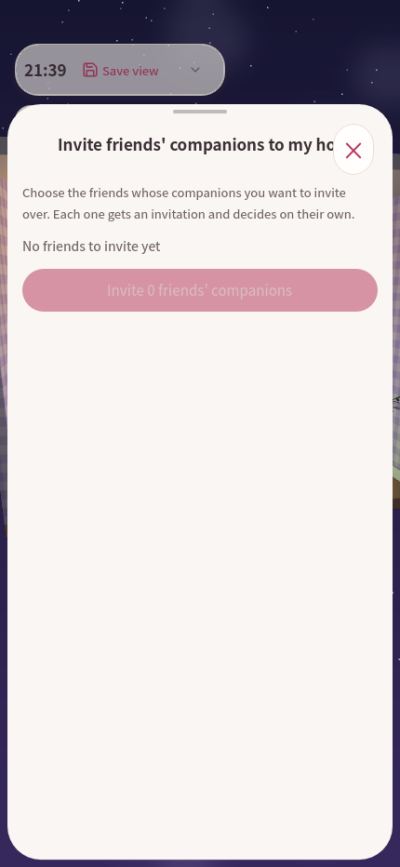
- "More → Social → Invite friends to visit". Check your friends (up to 10 at a time) and send.
- If a friend taps "Accept" within 24 hours, their pet comes straight to your home.
- You can pet it, feed it (using your food), and play with it.
The bigger your room, the more visitors you can host at once. Visitors wear their owner's clothes, and you can't change their outfits.
Mailbox & gifts
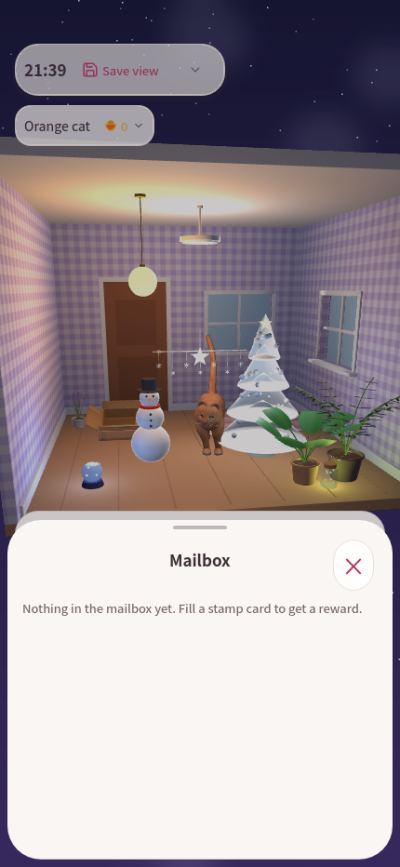
- The "Mailbox" on Home receives stamp rewards, walking rewards, gift code rewards, gifts from friends, and friend notifications. A red dot means something is unread.
- For mail with a reward, tap "Claim" to receive it.
Pets, renaming & the pet ID card
- In the Shop under "Pets", you can adopt new pets with candy.
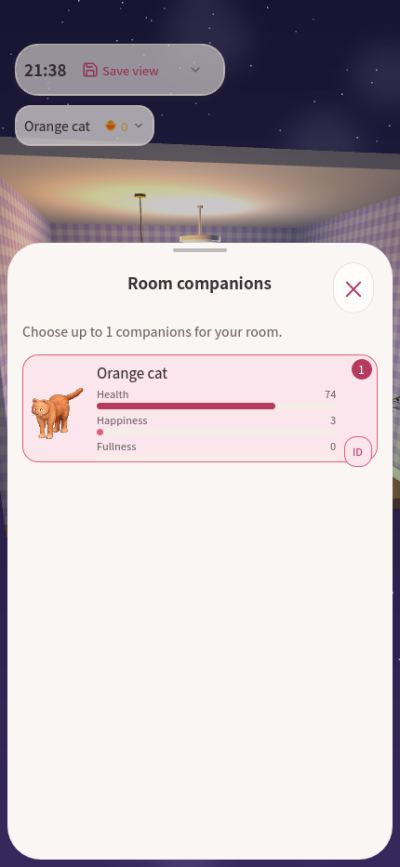
- In "More → Room companions", choose which pets live in the room (the number depends on room size).
- The "ID" at the bottom right of a pet's slot opens its pet ID card. Each pet's first rename is free; after that you need a rename card (each account gets 1, then 100 candy each).
- In the pet list, tap a pet → "Set as current companion" and your widget will show it.
Photos
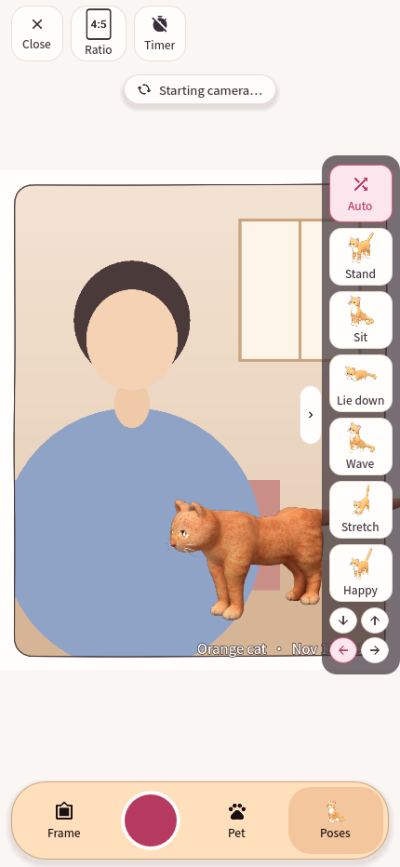
- The camera button at the bottom right of Home opens the photo screen. You can choose the ratio, set a countdown, mirror, and switch cameras.
- At the bottom are frames, Beauty, the shutter, and group photos; on the right you can change poses. You can drag your pets and pinch to resize them, with up to 3 pets in one shot.
- Holiday frames only appear during events. After shooting, you can retake, save to your album, or share.
Home screen widgets (iPhone / Android)
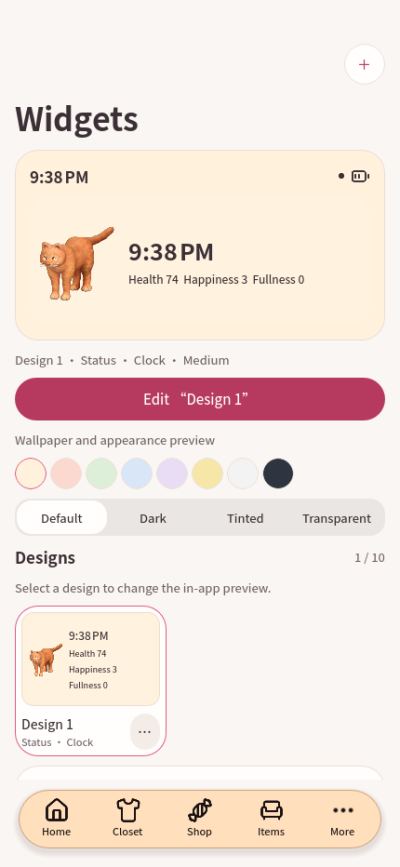
- Design a widget under "More → Widgets": size, look, background color, and what it shows (status, clock, date, quotes, fortune, a feed button, and more).
- Add it to your home screen: long-press an empty spot → "+" → search "Desktop Pet 3D" → pick a size.
- Tap the pet on the widget to pet it; the "Feed" button uses the food you have the most of.
- On iPhone, while your pet is at a friend's home, the Dynamic Island shows a countdown to its return ("Settings → Pet → Dynamic Island").
Still have questions? See the Support page or email admin@esim168.com.